The Hub: Submitting Feedback/Reporting a Bug
To report a bug or an issue that you are experiencing in the Hub environment, you can submit a report or feedback using the interface within Hub.
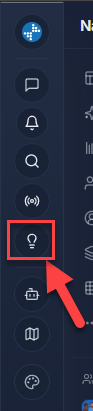
To start, click on the light-bulb icon on the left navigation menu:
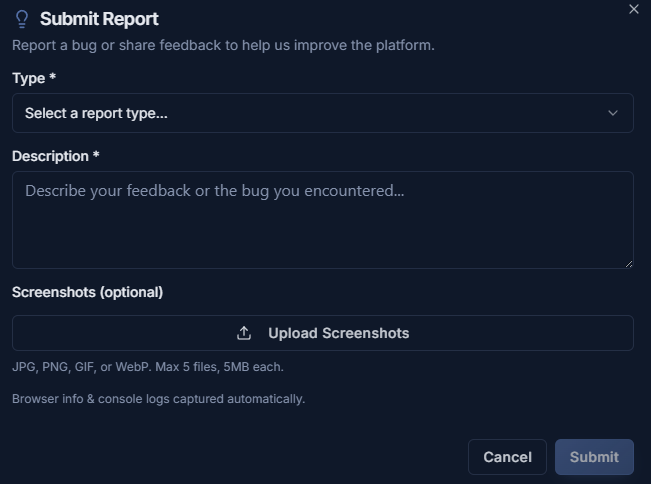
You can then select the type of report (Feedback or Bug Report), provide a description of the issue and how to recreate it, and you can attach a screenshot of the issue for the development team:
Once you finish filling that out, you can click the submit button to have it sent to the team. If you have any questions about this or run into any issues, you can contact Technical Support at support@exprealty.net or in exp.world at https://exp.world/techsupport-agent
To start, click on the light-bulb icon on the left navigation menu:
You can then select the type of report (Feedback or Bug Report), provide a description of the issue and how to recreate it, and you can attach a screenshot of the issue for the development team:
Once you finish filling that out, you can click the submit button to have it sent to the team. If you have any questions about this or run into any issues, you can contact Technical Support at support@exprealty.net or in exp.world at https://exp.world/techsupport-agent